Bed occupancy
Live, ward-wise bed counts with one-tap admit and discharge — no more calling a ward to ask how full it is.
Ward Compass · Hospital operations, live
Right now, most government hospitals run on paper registers and phone calls — bed counts, staffing, cleaning, and maintenance tracked ward by ward, reaching the Medical Superintendent late, if at all. Ward Compass turns that into one live view, built first for a single government hospital's real workflow — not a generic hospital-chain dashboard.
Built for a real gap
That's not a knock on the staff running them — it's what happens when there's no low-cost, purpose-built tool for the job. Ward Compass is Talos Labs' answer, shaped specifically around a single government hospital's actual rhythm, not retrofitted from a private hospital-chain product.
Occupancy, staffing, and cleaning are logged ward by ward on registers that never leave the ward — nobody above it has a current picture.
A full ICU or an understaffed night shift usually reaches the Medical Superintendent through a phone call or a note — sometimes days after it mattered.
Occupancy, staffing, cleaning, and maintenance are tracked, if at all, as separate paper trails that never meet — so patterns across them go unnoticed.
What it actually does
Live, ward-wise bed counts with one-tap admit and discharge — no more calling a ward to ask how full it is.
Sanctioned strength vs. who's actually on duty, per ward per shift — short-staffed shifts show up instantly, not at month-end.
A per-ward, per-shift checklist with photo confirmation, so "cleaned" means something more than a tick on paper.
Raise, assign, and resolve facility issues in one lifecycle — a broken bed rail no longer waits on a corridor conversation.
Patterns surfaced automatically — a staffing gap repeating, alert volume climbing — instead of leadership having to notice them first.
A real control room for the Medical Superintendent: trends, ward comparisons, and ticket priorities, at a glance.
See it, screen by screen
Open the app, tap Get Started, and pick a role — Ward In-charge, Housekeeping, Maintenance, or Medical Superintendent. That's the entire onboarding, by design, for a first pilot.
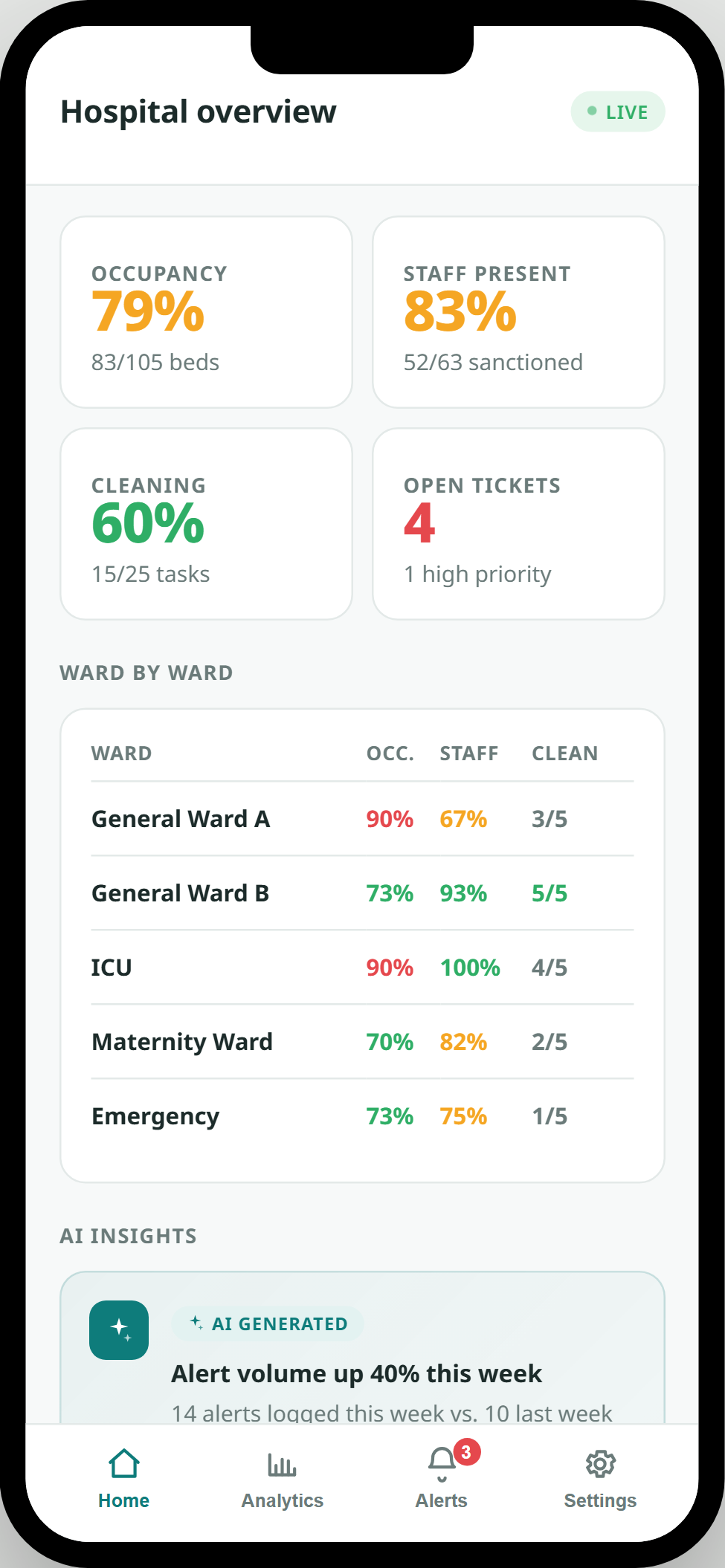
Occupancy, staff presence, cleaning completion, and open tickets, rolled up hospital-wide and ward by ward — with the week's first AI-generated insight already surfaced, no digging required.
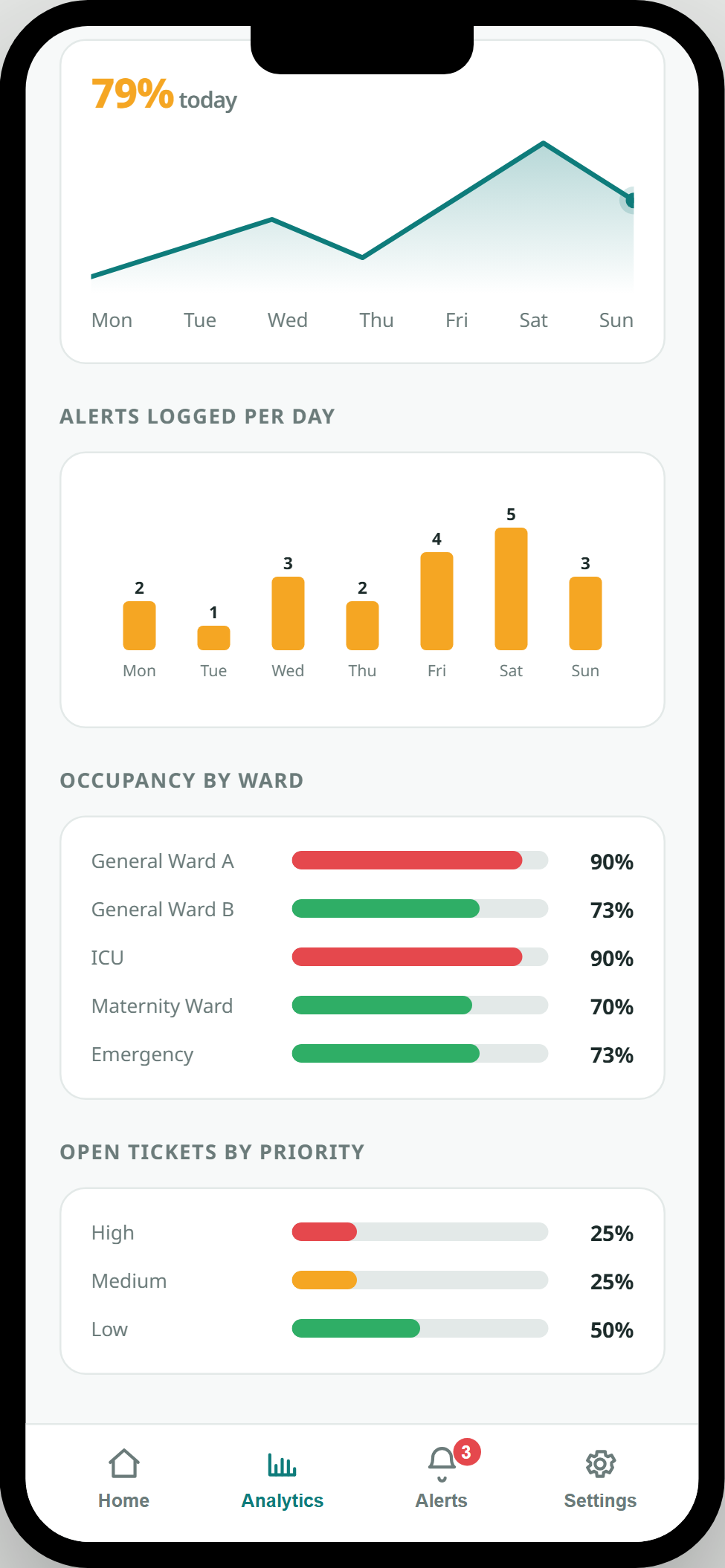
A 7-day occupancy trend, alert-frequency chart, ward-by-ward comparison, and ticket priorities — the same visual language Talos Labs uses in its own product work, built to look right in a board conversation.
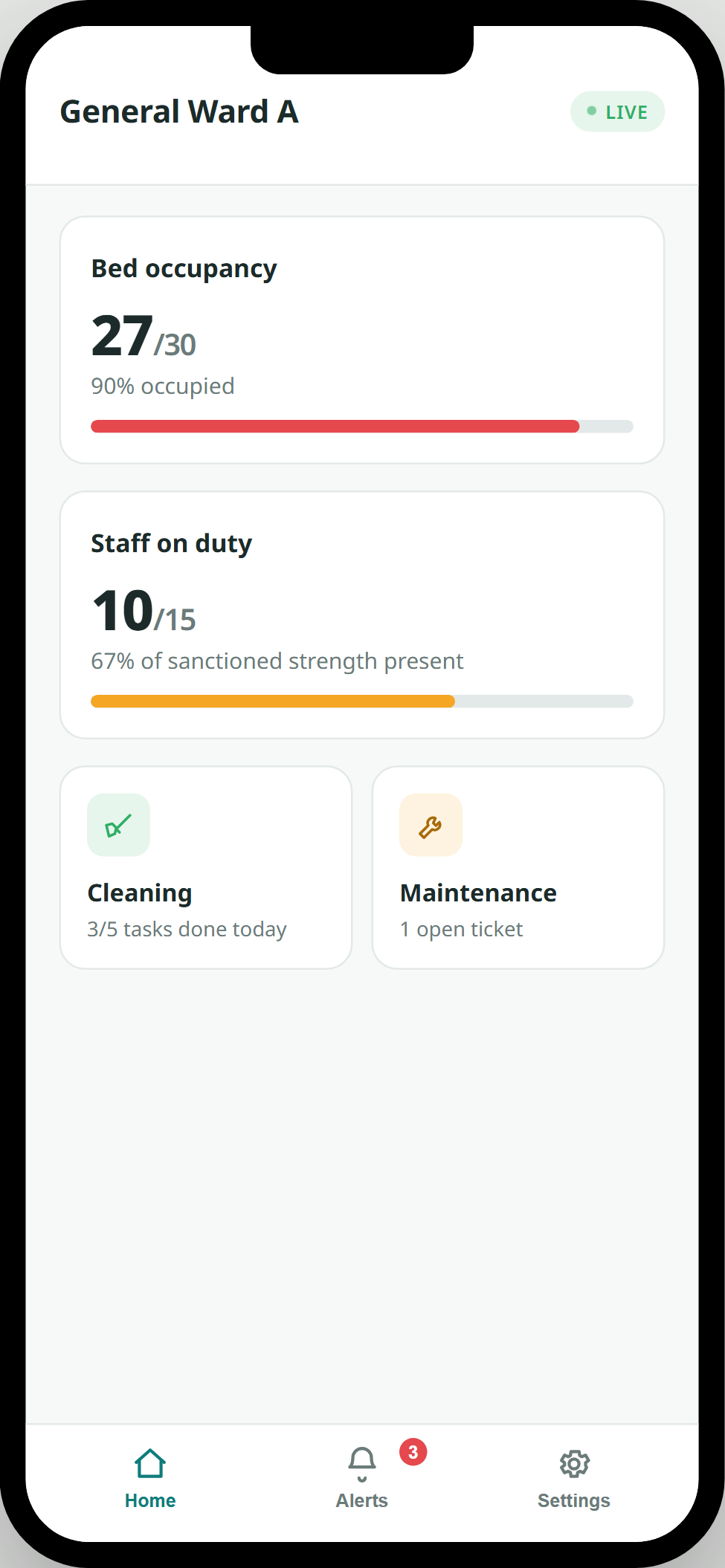
A Ward In-charge opens straight into their own ward — bed occupancy, staff on duty, and one-tap shortcuts into that ward's cleaning checklist and maintenance tickets.
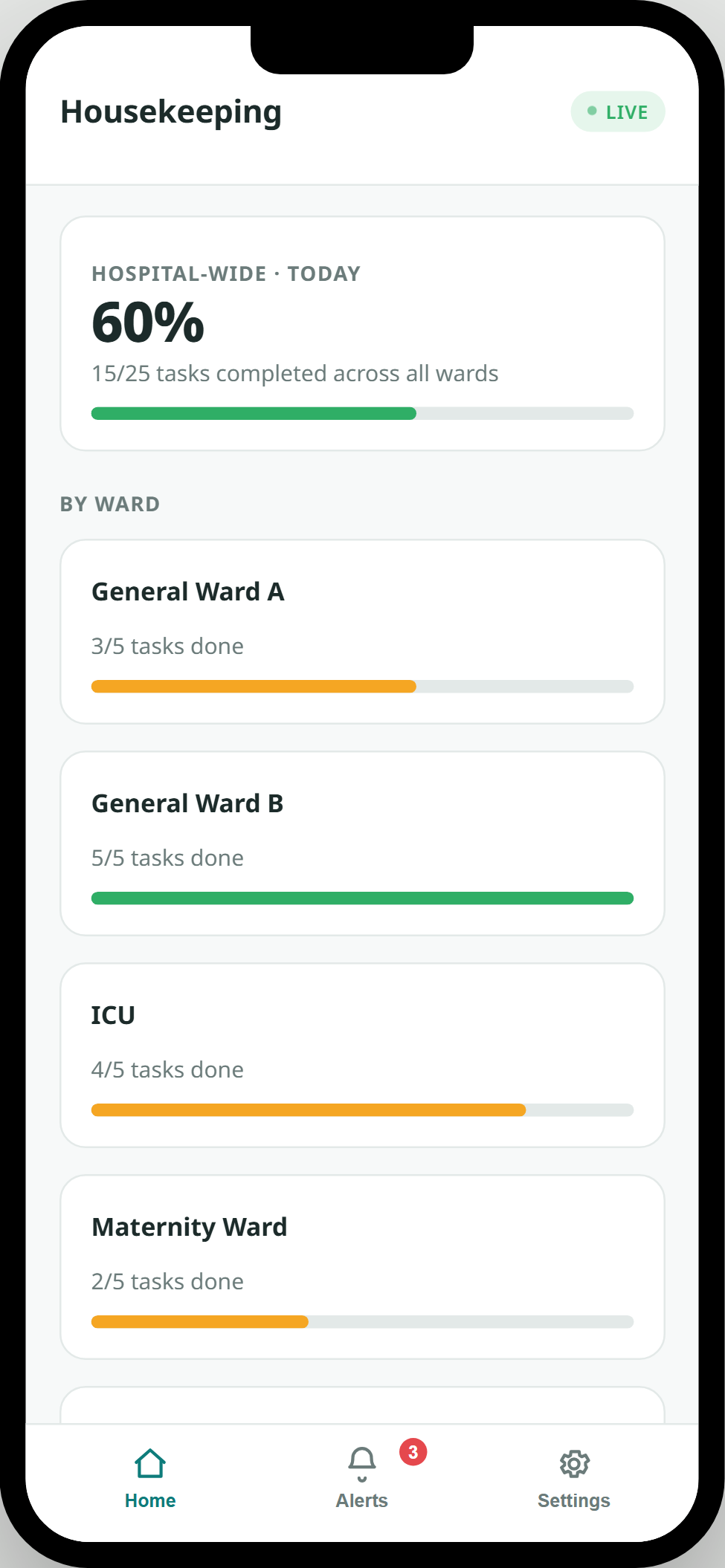
Hospital-wide cleaning completion at a glance, broken down ward by ward — the kind of visibility that used to depend on a supervisor's walk-through.
The whole flow
One button. No account to create, nothing to remember.
→Ward In-charge, Housekeeping, Maintenance, or Medical Superintendent.
→Exactly the data that role needs, updating as the ward changes.
→Admit a patient, mark cleaning done, raise a ticket, or follow an AI insight.
Why beta, on purpose
Pilots run on real budgets and real timelines. Beta means Ward Compass is honest about where it is today — while already proving, in a live sitting, that the idea works.
This is a working, click-through system, not a slide deck — a hospital contact can hold it and use it in the same conversation where we pitch it.
Beta means the exact ward names, roles, and thresholds get tuned to whichever hospital adopts it first, instead of guessing them upfront.
It launches lean — occupancy, staffing, cleaning, maintenance, and AI insights — on purpose, so a pilot is fast to run and easy to extend once it's proven.
Talk to us
We're opening early conversations with government hospitals for a first pilot. We'll walk through the app live and talk through what would need to change for your wards.